

If your first e-newsletter isn’t very good, no one will want to see your second e-newsletter.
We believe in the 5-second rule.
Not the food on the floor, but the fact you only have 5 seconds to make an impression. If your e-newsletter doesn’t get someone’s attention in that time, you might not get it at all. Which is why your first e-newsletter has to be great, right out of the gate.
Your e-newsletter should engage, educate, and maybe even entertain your audience. What it shouldn’t do is talk about your company. No one cares about you (or us) until they know how you can help them. Talk about how the services or products you offer helps your audience, because everyone just wants to know “What’s in it for me?”
Did you know email’s rules are the exact opposite of direct mail rules?

With direct mail, you can assume someone wants to receive it unless they opt out. With email, you have to assume they don’t want it unless they opt in.
Ignoring that simple fact can get you blacklisted from reputable email services faster than you can say “Hey can they really do that to us?” (The answer is, of course, “yes!”)
Why you need an online email service to send out emails.
If you’ve wondered why folks use services like Constant Contact, or Campaign Monitor, instead of just sending out emails through their email program at work, here’s a few reasons why:
- Many email services (ie; Gmail) won’t let you send out large quantities of emails at once, assuming it might be spam.
- The IT setup for your emails might not even allow for mass emails to be sent.
- The major email services have agreements with all the major email programs (ie: Gmail, Apple mail, Outlook, Yahoo, etc.) to assure what goes out through their services isn’t spam. These emails services have serious rules to follow. If you don’t follow them, you get banned from using their services.
- They have great reports that show you who opened your e-newsletter, what links were clicked on, and how many times.
- They track who opts out of your e-newsletter, and makes sure those folks don’t receive it again, even if you accidentally re-upload their email address. If you keep sending a newsletter to folks who don’t want it, they’ll mark it as spam. And if just half a percent of your recipients marks them as spam, you can be banned from using their service. (That’s just 5 people out of 1,000 recipients.)
- They track and tell you which emails are no longer active, have full mailboxes, or can’t receive emails for any number of reasons.
- And finally, they’re really cheap to use. Campaign Monitor’s pricing is between $12 and $29 a month.
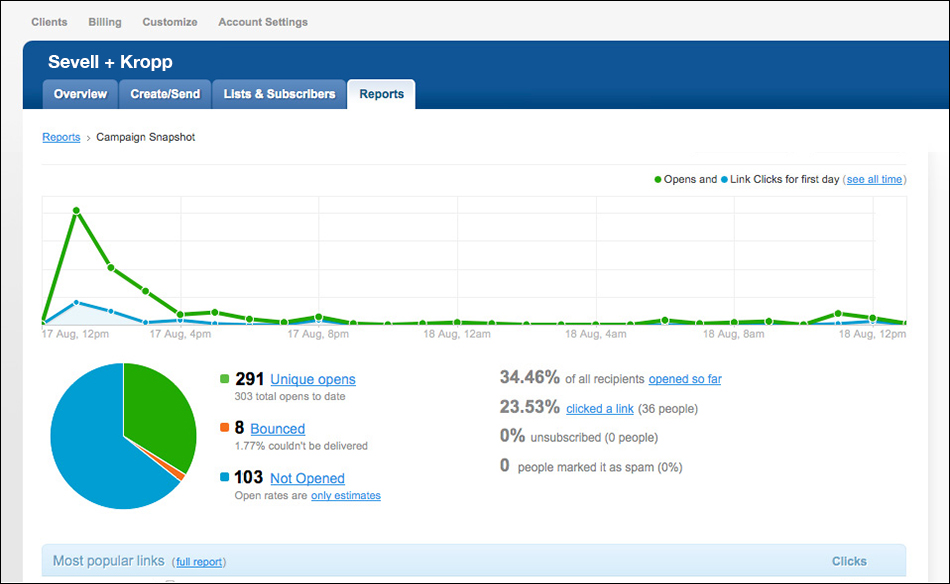
Campaign Monitor’s reports give an overview of of the stats of your email.
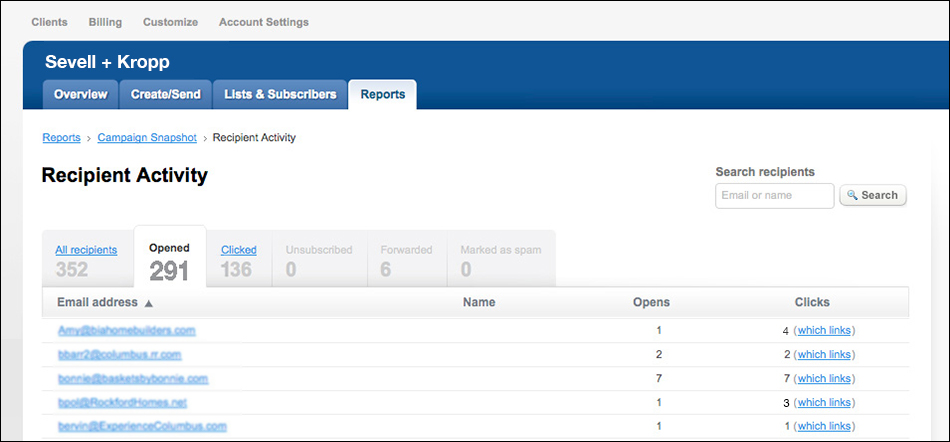
This report shows exactly who opened your email, as well as which links they clicked.
We design the templates, so you can easily update your e-newsletters yourself.
The email templates we build through Campaign Monitor are mini-content management systems. If you can size images, you can easily update the email template and send future e-newsletters out yourself. (Of course, we can also do that for you, if you prefer.)
Making sure your e-newsletter works in all major email programs.
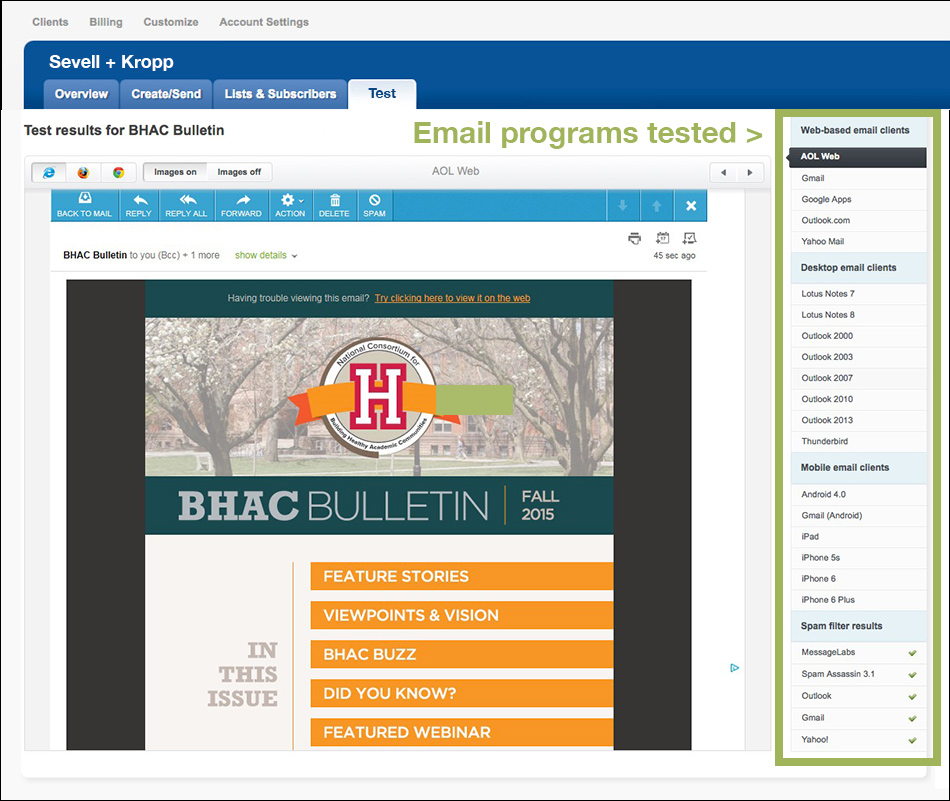
A quarter to a third of the time we invest on your e-newsletter is spent testing and refining the design to make sure it works for all major email programs. You can see all the email programs we test your e-newsletter in running down the right side of the screen shot above.
This is a critical step, and if your designer doesn’t do it, you’ll never know how most of your audience will be seeing your newsletter.
Your e-newsletter needs to link to blogs, or other pages, on your website.
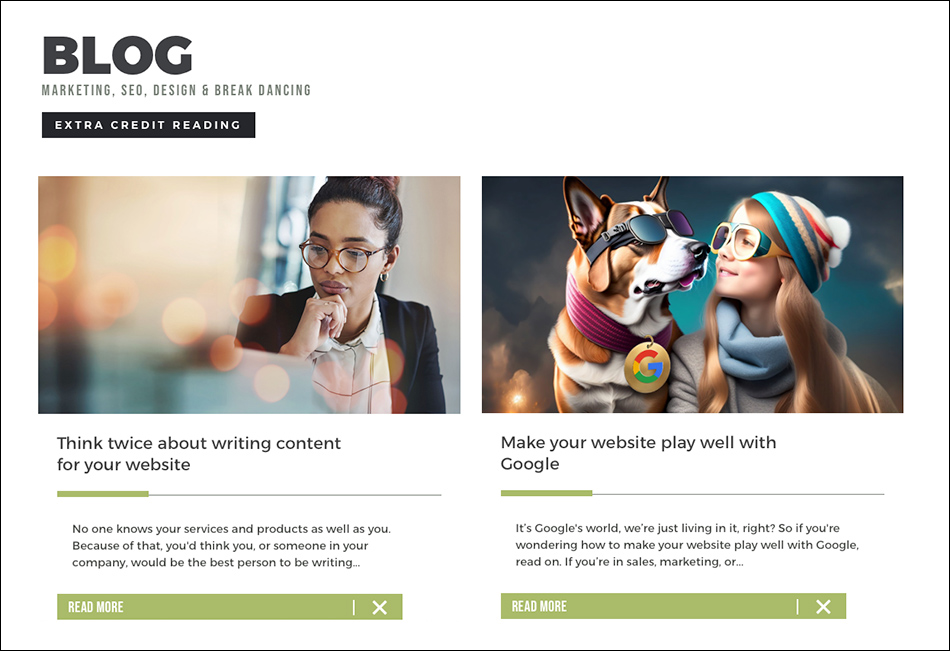
The stories your e-newsletter links to are pages on your website. That could be a blog, an existing page, or a new page. Getting people to your website is key for Google’s algorithms, so that’s the goal.
You only want to use “teaser copy” in each newsletter because too much copy in your newsletter makes it seem to overwhelming to read. So keep the text short.
What putting each newsletter issue requires you to do:
- Write the details of the stories you want to highlight in the newsletter,
- Add those pages to your website. Of course, it’s critical to add key SEO elements to each blog, and each page of your website,
- Find and purchase images for the newsletter (or use the images from the landing pages on your website),
- Prep the images for web, upload them to Campaign Monitor and make the “Learn more” link go to the new page on your website that has the whole story,
- Write the teaser text,
- Compile the email addresses regularly each month,
- Upload an updated version of the email addresses (if the list changes from one month to another),
- Send email tests for you to review, and
- Schedule the e-newsletter to be sent.
Why we use Campaign Monitor.
There are lots of good e-newsletter platforms out there. We prefer Campaign Monitor, and we’ve been using it for at over 10 years. See a comparison of e-newsletter platforms here.
And finally, we could always put your e-newsletter together for you.
If you don’t have the time nor inclination to do it yourselves, and you need us to help you with it, we’re available to do that for you. Contact us today to talk about how we can help with your company’s e-newsletter.